Tone Review: your first four steps
Predict a Chinese tone, choose the pinyin, and take time to compare the answer.
Look first, listen later
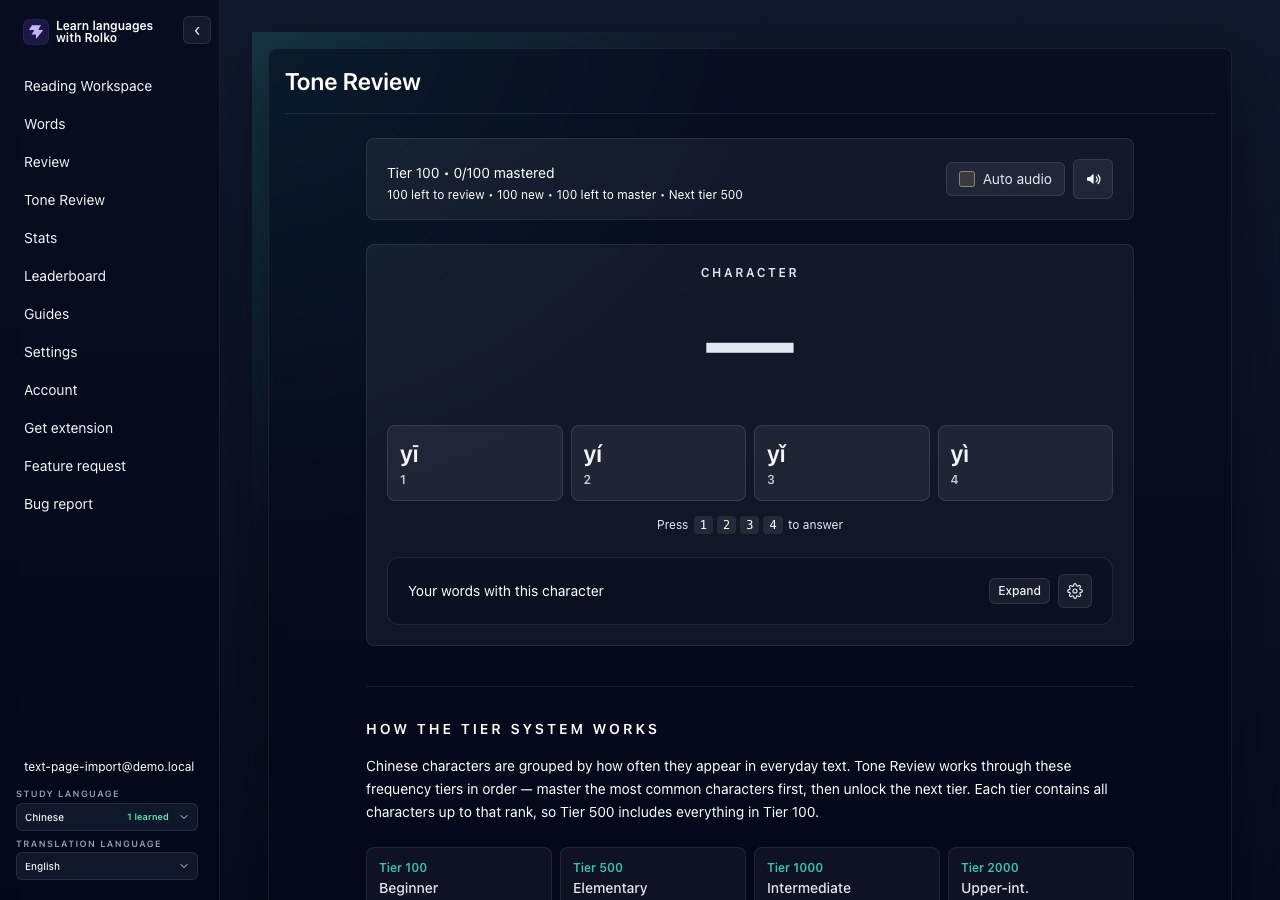
Open Tone Review. Leave “Auto audio” unchecked so you can think before hearing the answer. Look at the large Chinese character. The small numbers beside the pinyin mean tones 1–4.
Before you start
Sign in in this browser. If asked, choose Chinese under Study language and English under Translation language, then select Start learning. Screenshots and button names use English. If your app looks different, open Settings and choose English in the language menu at the top (Rolko interface).
Make a prediction and open the examples
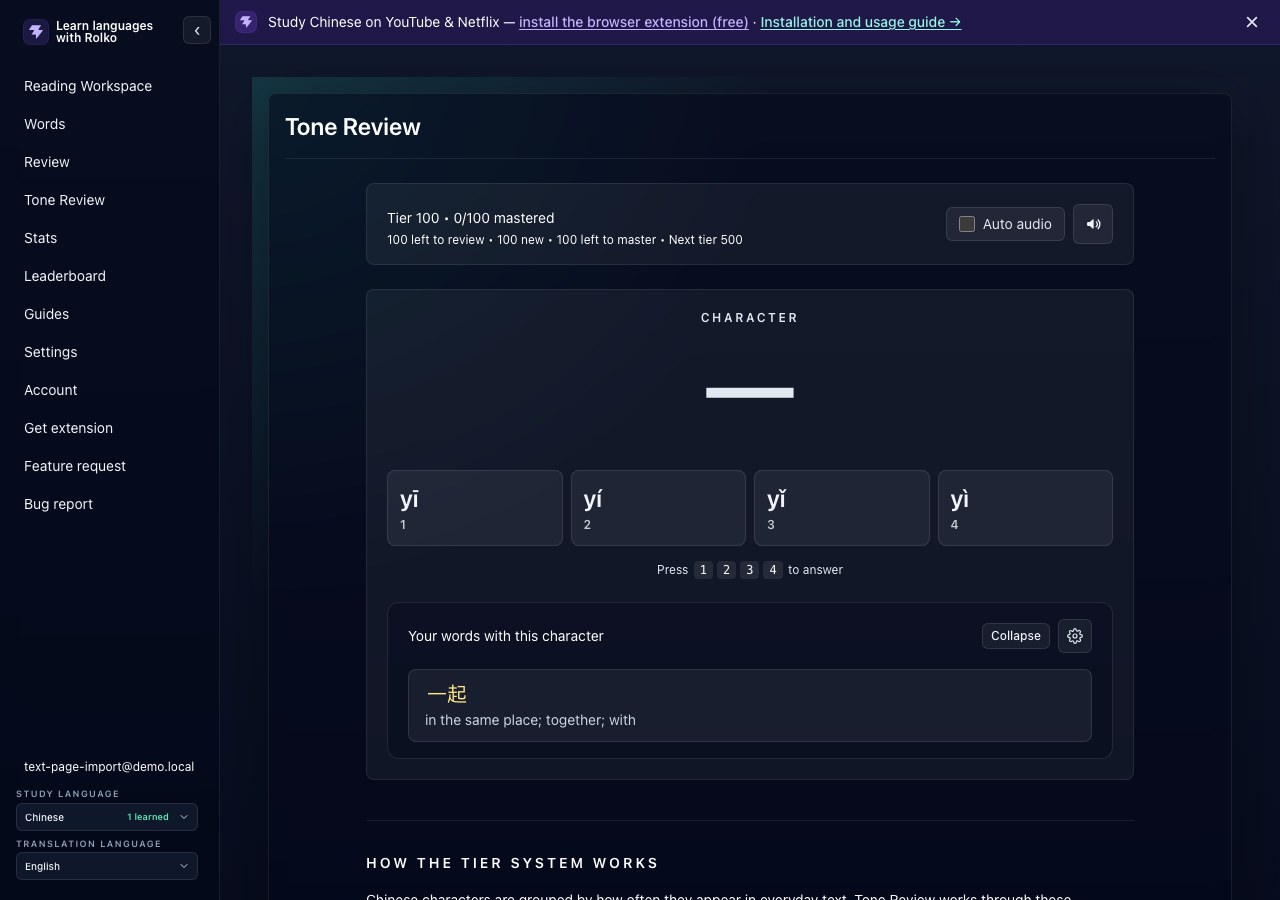
Say the character aloud with the tone you expect, or rehearse it silently. Then expand “Your words with this character” before choosing a pinyin answer. Keeping this panel open gives you time to compare the result. On a phone, scroll down to find the panel and the answer buttons.
Compare your answer
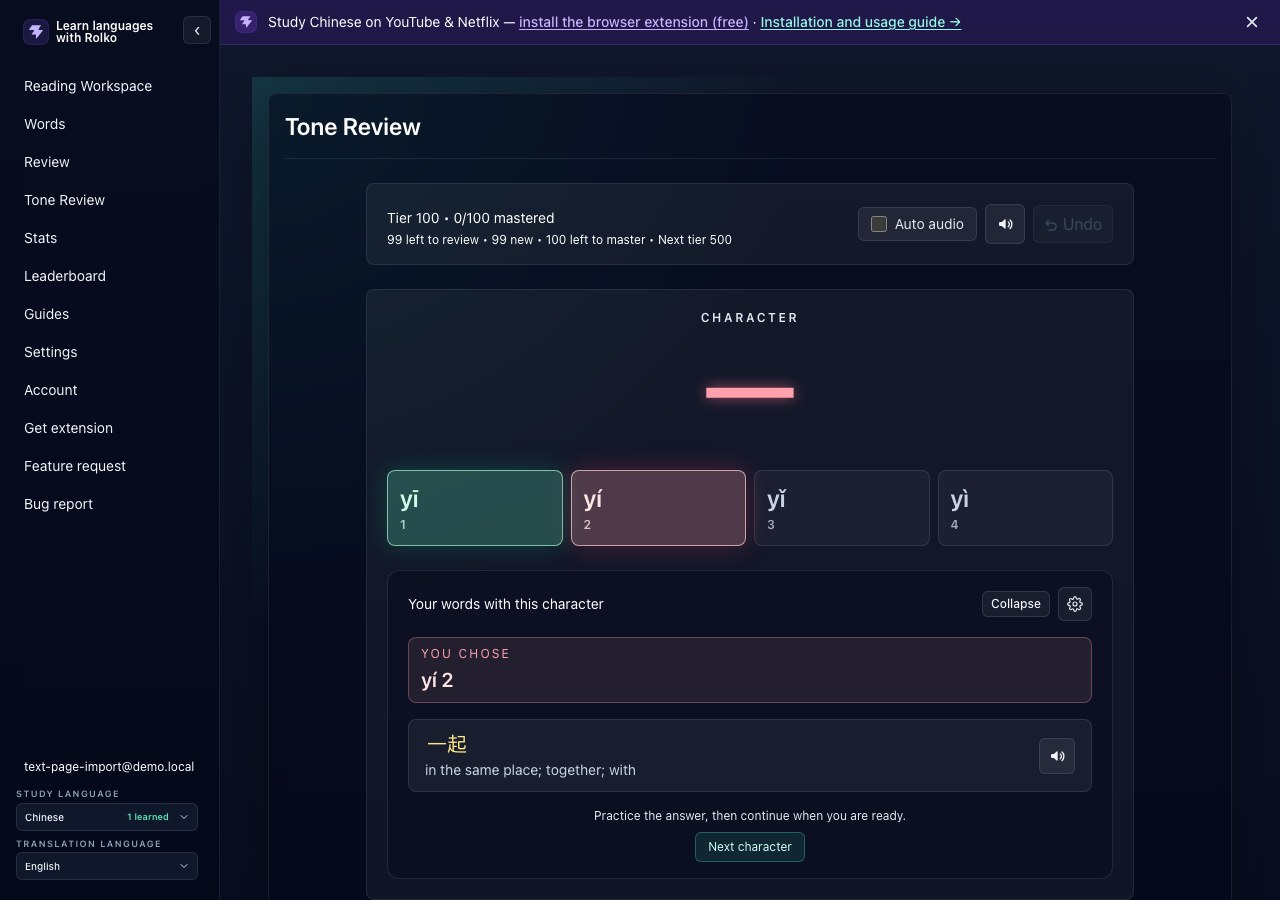
Choose the pinyin you think is right. Rolko checks the answer you select. Green shows the correct pinyin; a wrong choice also appears in red. Use the speaker button (“Play pronunciation”) to hear the reference, then try saying it again. The examples show words you have already saved; an empty list is fine.
Continue when you are ready
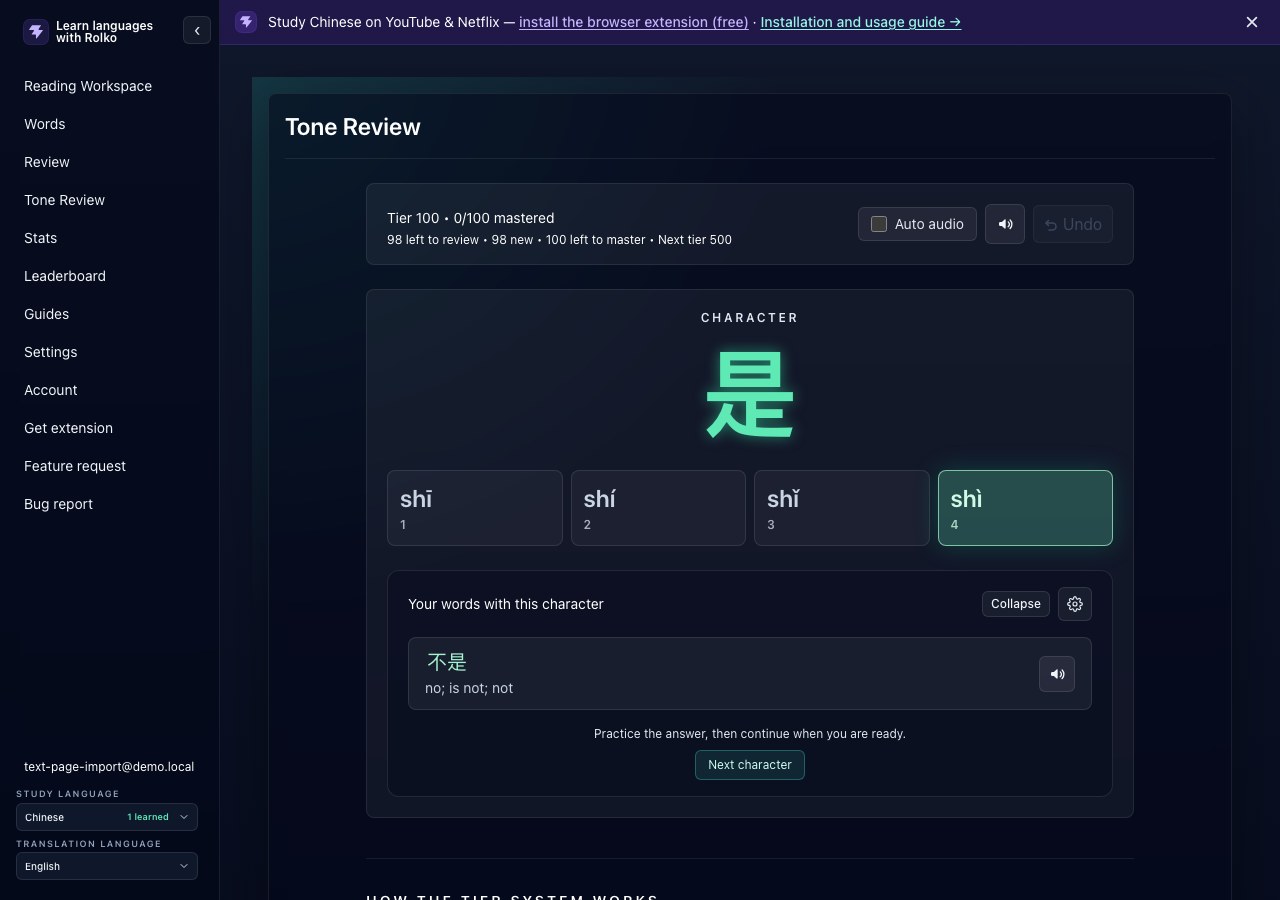
When you have compared the answer, choose “Next character” below the examples. On a phone, scroll down to find it. Repeat for a few characters, then leave whenever you like: each submitted answer is saved automatically. With the examples panel closed, the next card appears automatically after about three seconds.
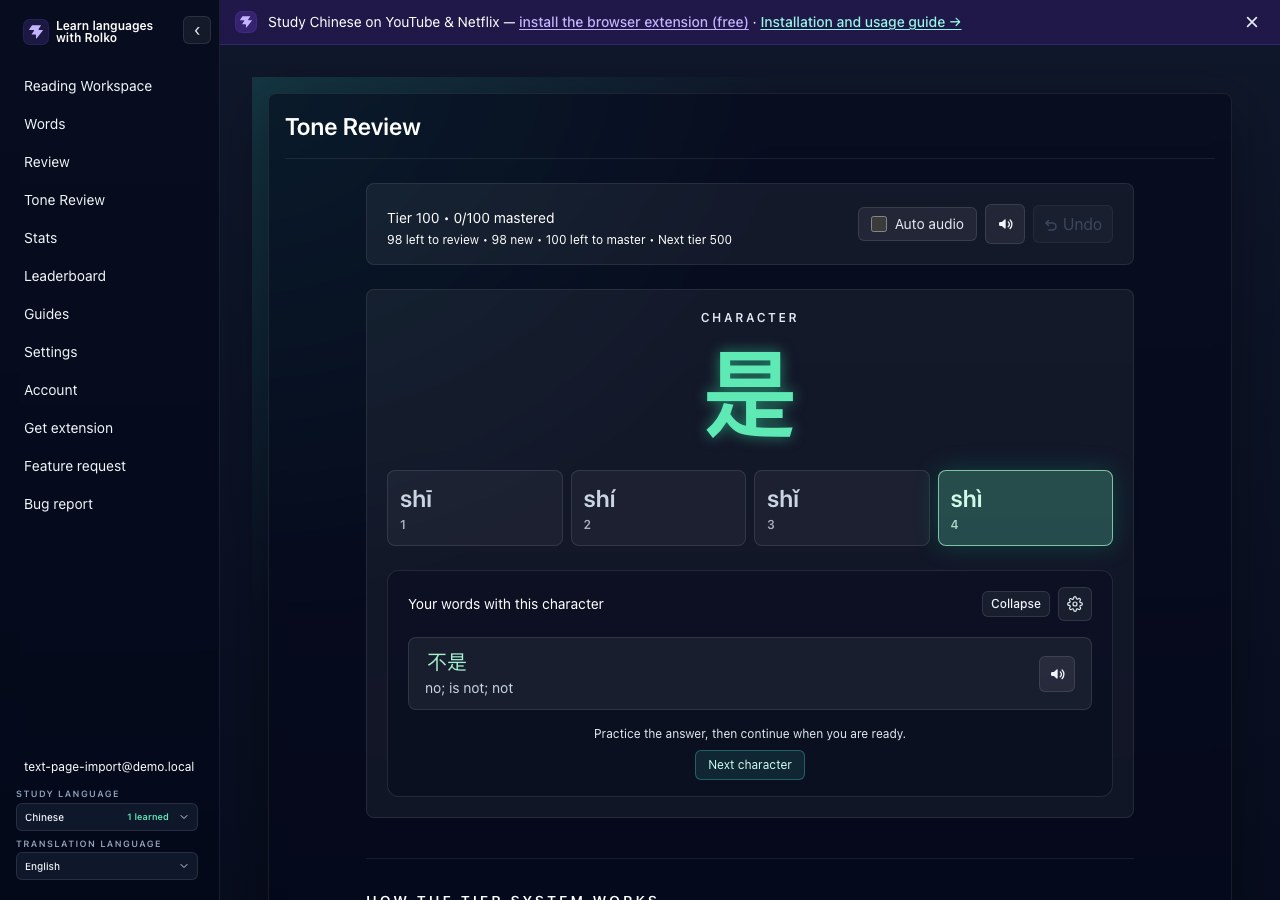
Real Rolko screens in English. Phones show the phone layout. The text you study and its translations follow your chosen learning pair.
More help & options
Predict a Chinese tone, choose the pinyin, and take time to compare the answer.
Look first, listen later
Open Tone Review. Leave “Auto audio” unchecked so you can think before hearing the answer. Look at the large Chinese character. The small numbers beside the pinyin mean tones 1–4.
Make a prediction and open the examples
Say the character aloud with the tone you expect, or rehearse it silently. Then expand “Your words with this character” before choosing a pinyin answer. Keeping this panel open gives you time to compare the result. On a phone, scroll down to find the panel and the answer buttons.
Compare your answer
Choose the pinyin you think is right. Rolko checks the answer you select. Green shows the correct pinyin; a wrong choice also appears in red. Use the speaker button (“Play pronunciation”) to hear the reference, then try saying it again. The examples show words you have already saved; an empty list is fine.
Continue when you are ready
When you have compared the answer, choose “Next character” below the examples. On a phone, scroll down to find it. Repeat for a few characters, then leave whenever you like: each submitted answer is saved automatically. With the examples panel closed, the next card appears automatically after about three seconds.
What the practice checks
Say the character before selecting an answer. The result checks your selected tone, so use the reference audio to compare what you actually said. If you cannot speak aloud, imagine the pitch movement first and say it when you can.
Keep the answer on screen
Expand Your words with this character before answering to pause automatic progression. After comparing, choose Next character. With that panel closed, an answered card advances automatically after about three seconds. Auto audio controls automatic reference playback; leave it off when you want to predict first.
No saved examples or no cards due?
Saved examples come from your own vocabulary. You can still practise a character when its examples list is empty. When you see 0 due right now., your current reviews are finished for now; come back when more are due. Continue ordinary reading and saving useful Chinese words in the meantime.
Build a useful habit
A few careful attempts are enough to begin. Predict, say, choose, listen, and compare. Notice the same character in familiar words. Clearer pronunciation grows through repeated listening and speaking, so keep practising even when you are unsure.